Features

One plan. Every view.

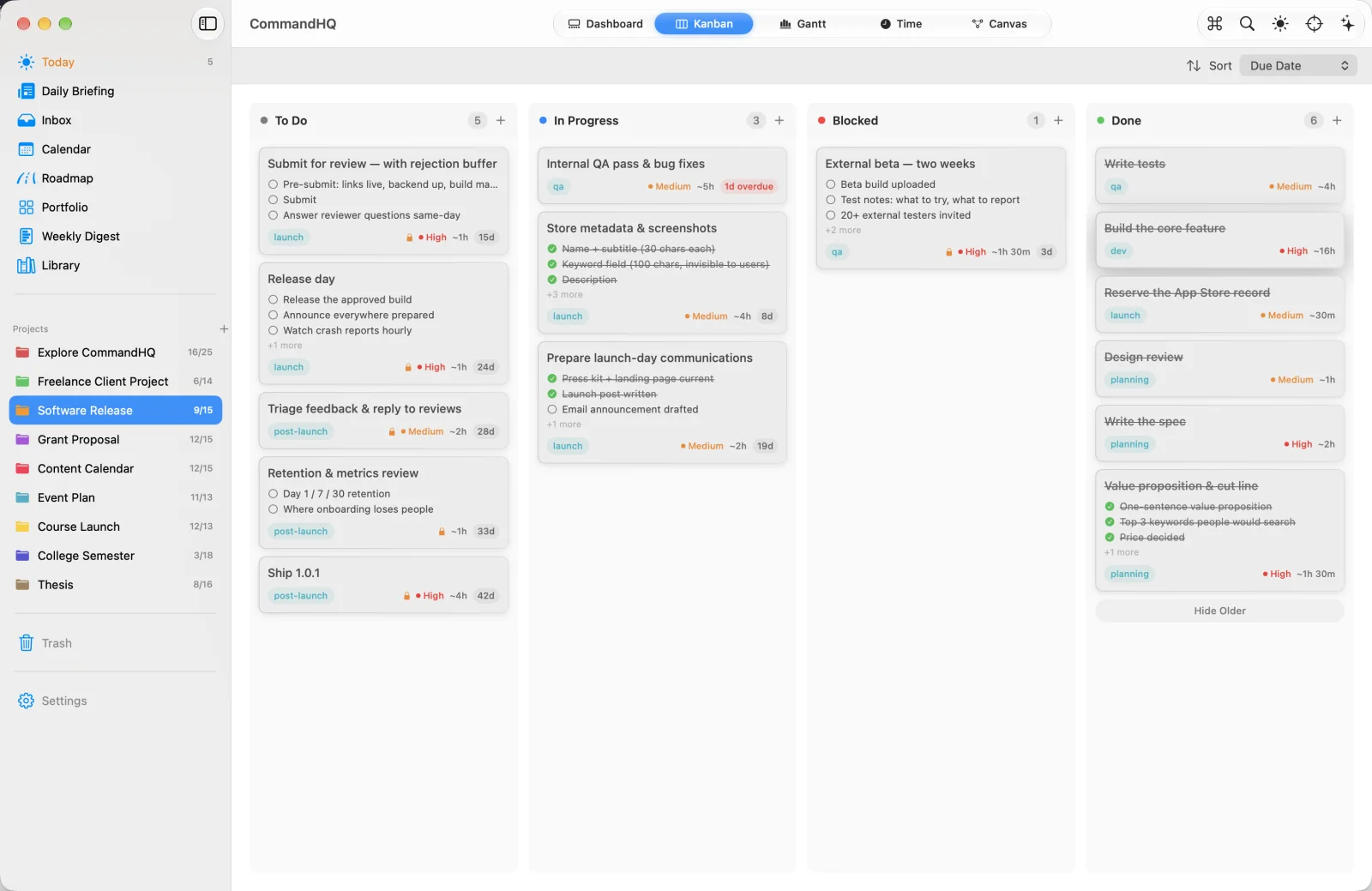
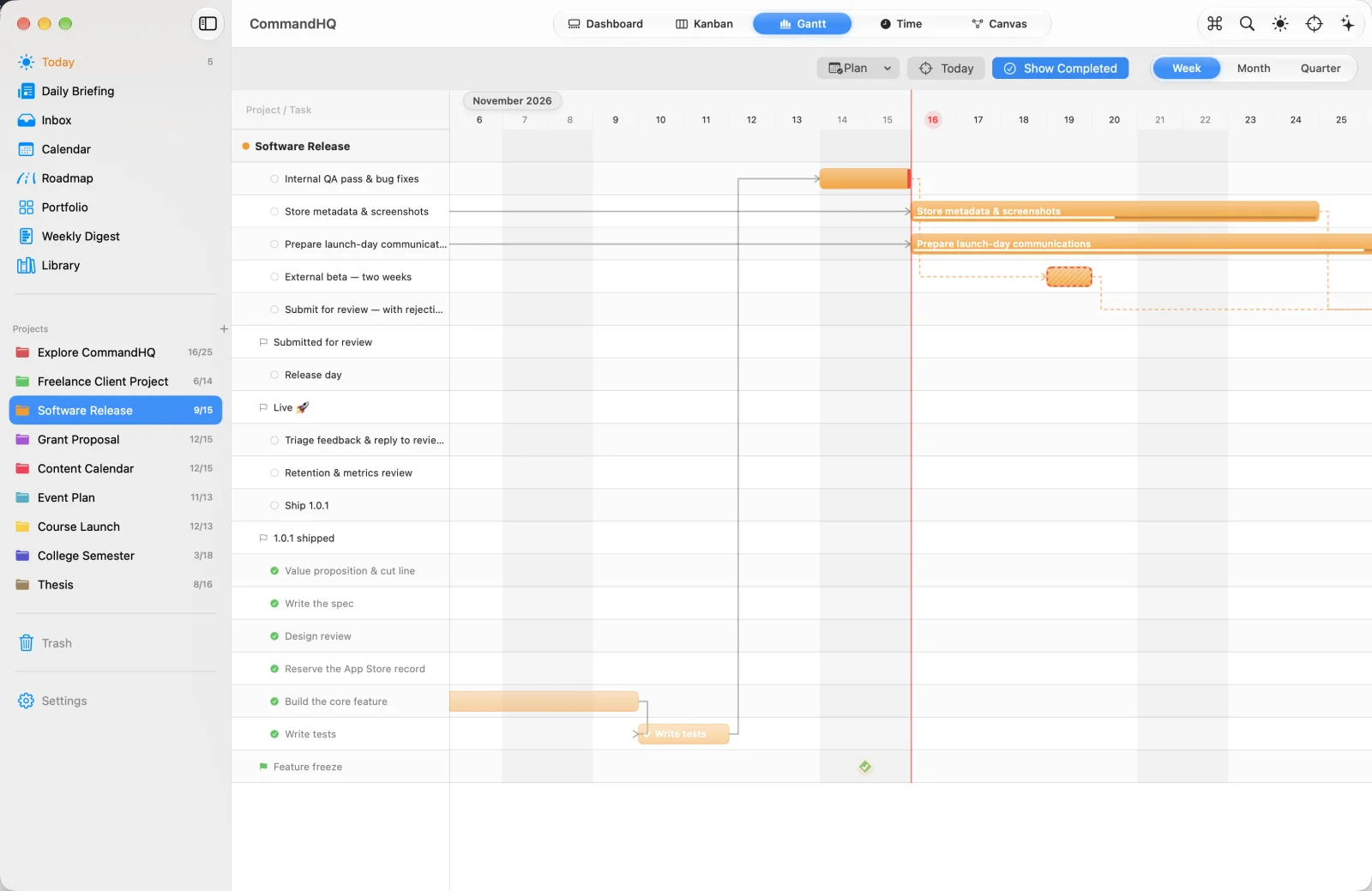
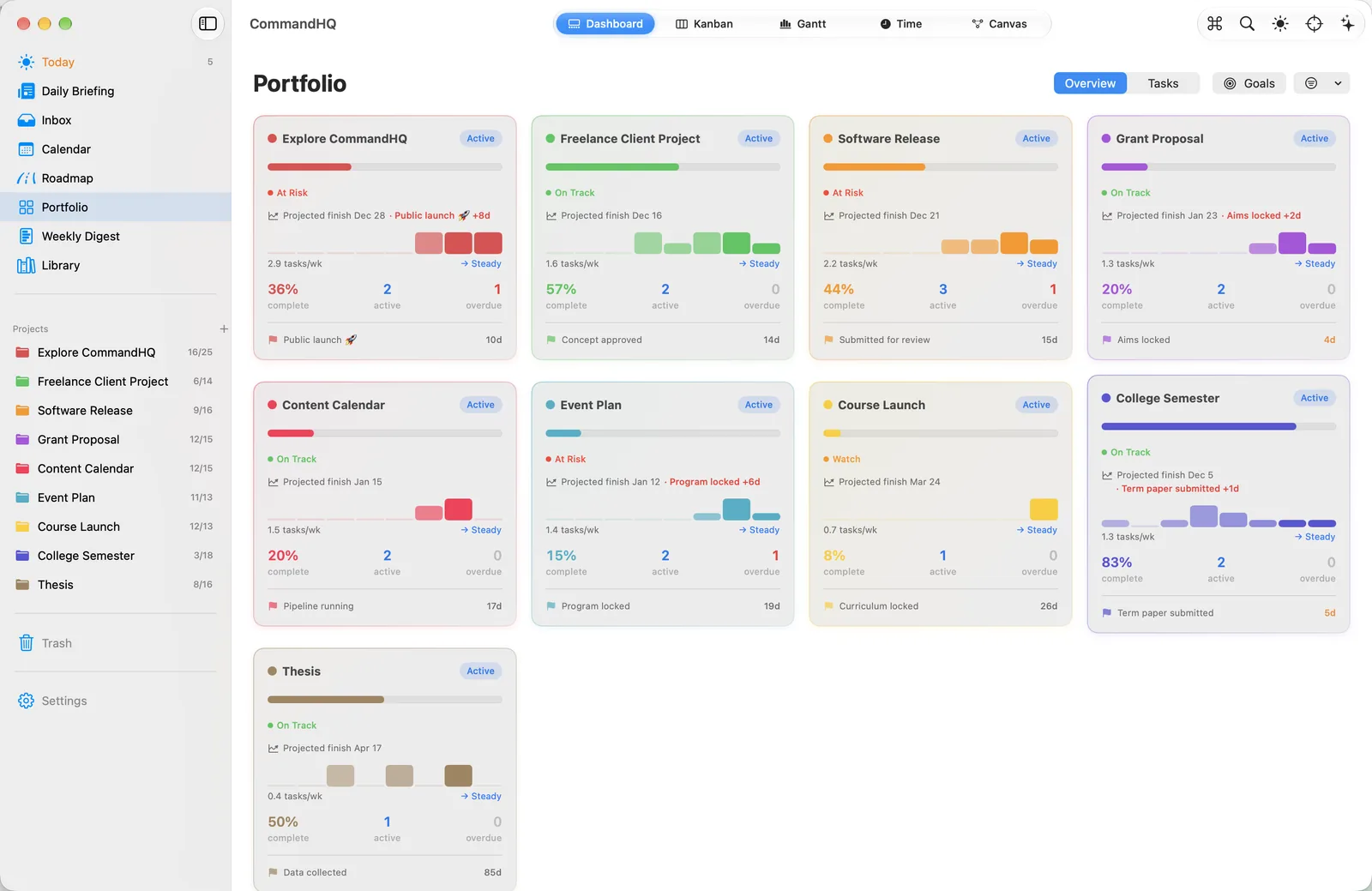
Switch the view and the plan stays the same. Try it.
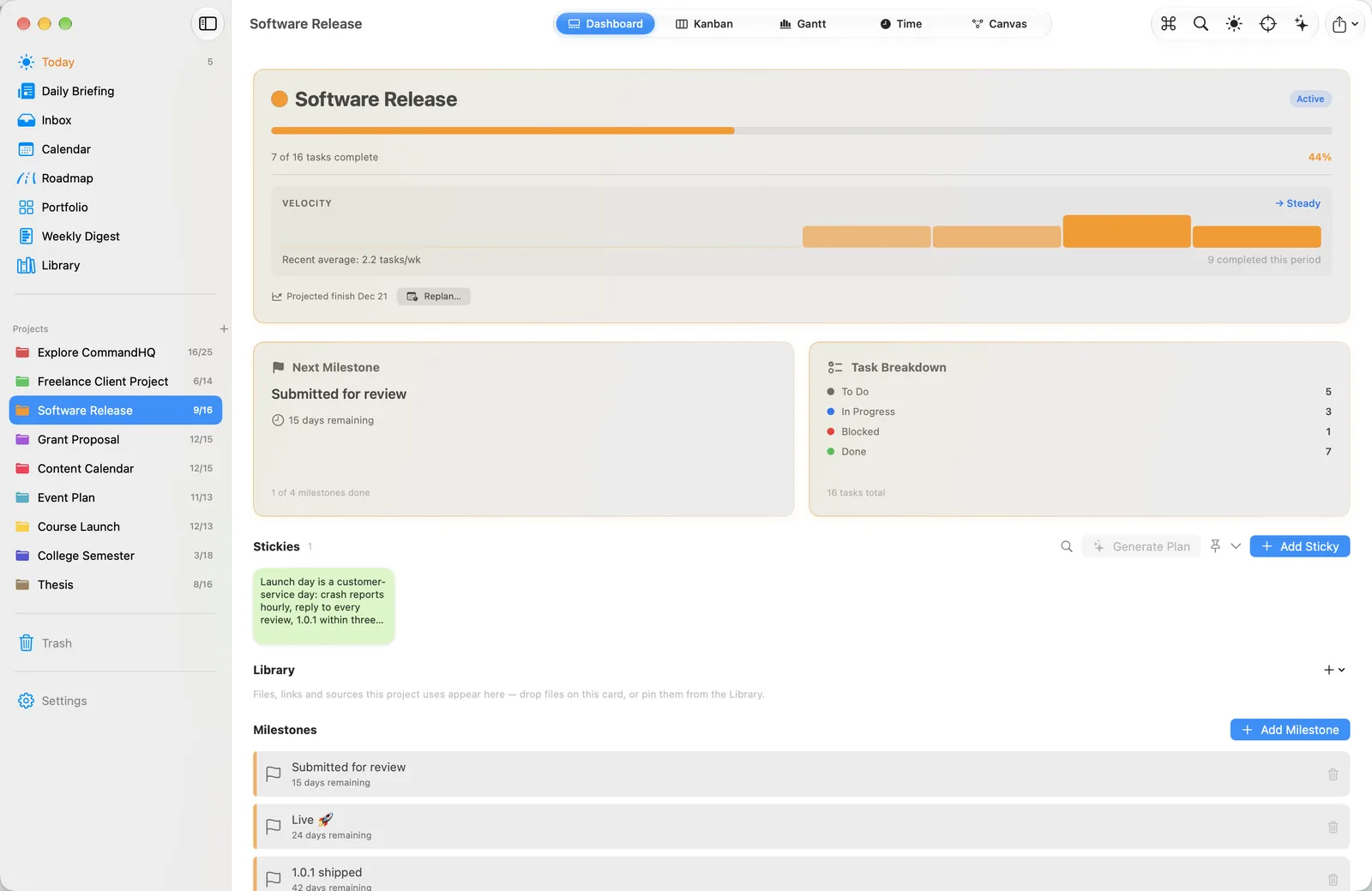
CommandHQ Dashboard view on the Mac
CommandHQ Kanban view on the Mac
CommandHQ Gantt view on the Mac
CommandHQ Roadmap view on the Mac
CommandHQ Portfolio view on the Mac
CommandHQ Canvas view on the Mac

Health, pace and what’s next, per project
Forecasts

Spot what’s slipping, early.

Estimate from your recent pace
Portfolio with projects at risk and projected finish dates
Daily Briefing

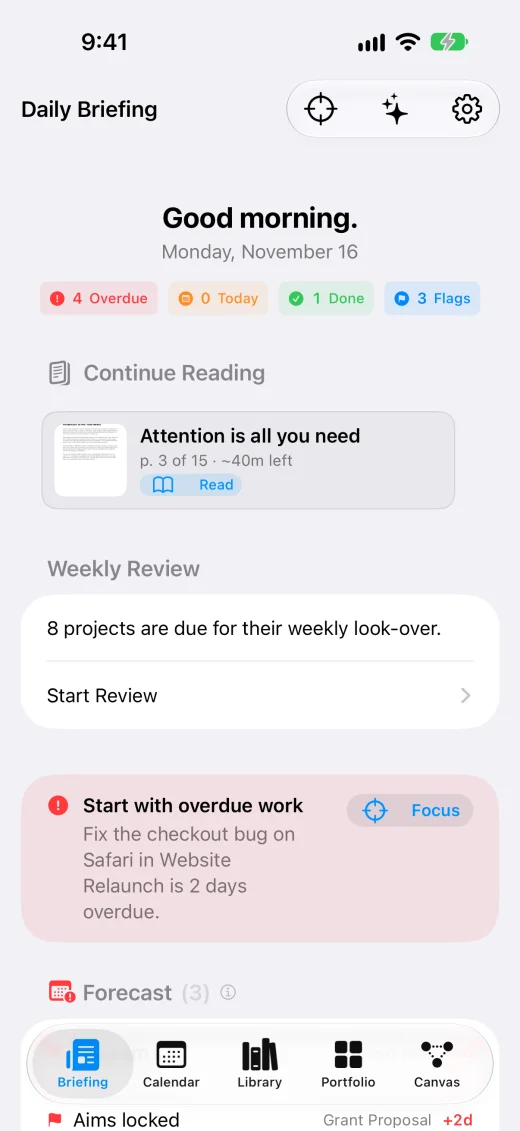
Your day, briefed.

Daily Briefing on iPhone
⌃⌥Space

Capture from any app.

Then back to work.

Honest time
Planned6h
Actual8h 20m

Planned vs actual, every block.

iPad

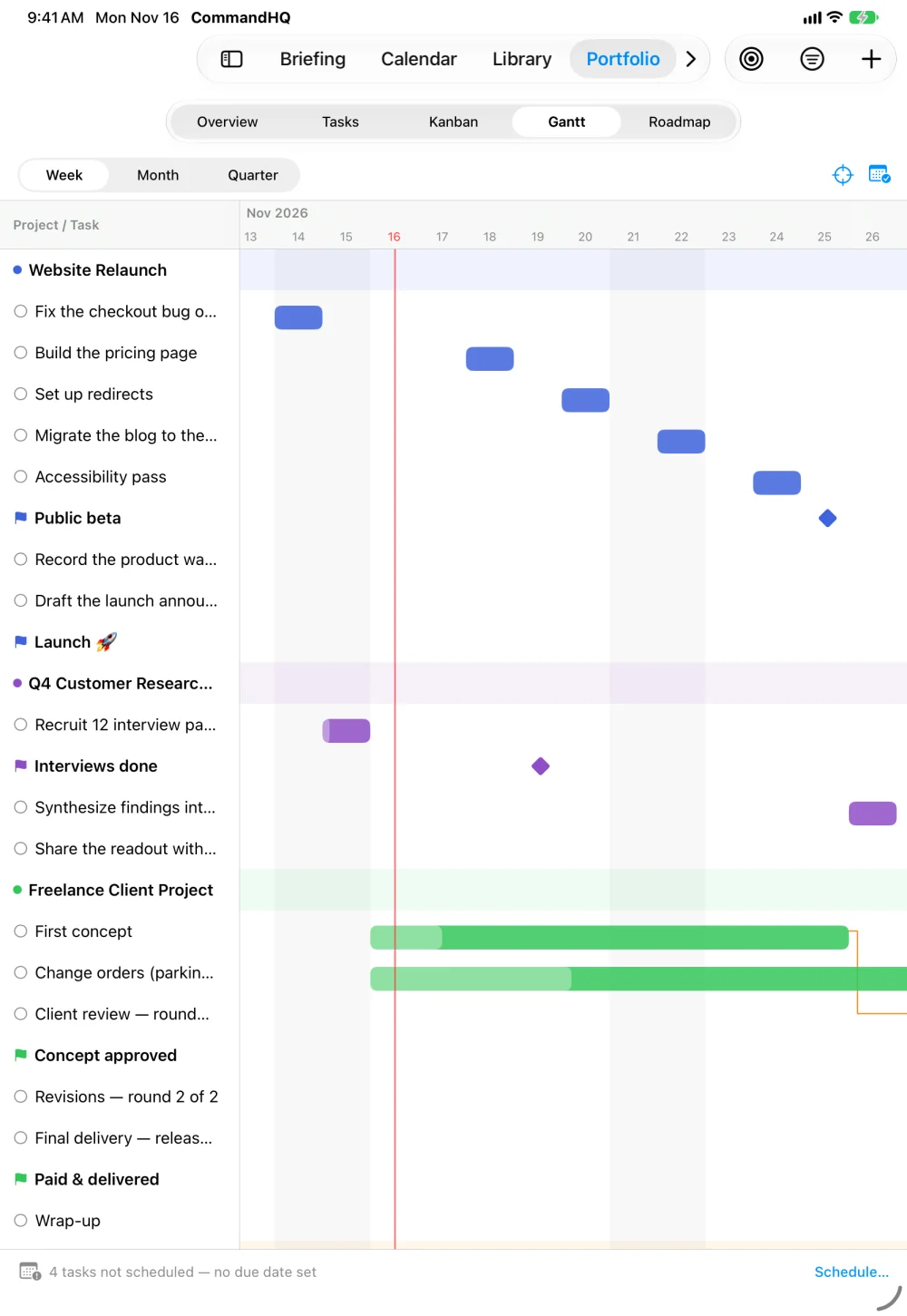
A real Gantt, on iPad.

Gantt chart on iPad
AI you choose
  • Apple Intelligence
  • Ollama
  • Your Anthropic key
  • Your OpenAI key

Optional. Only when you ask.

Live Notes

Record. Transcribe on-device.

iPhone

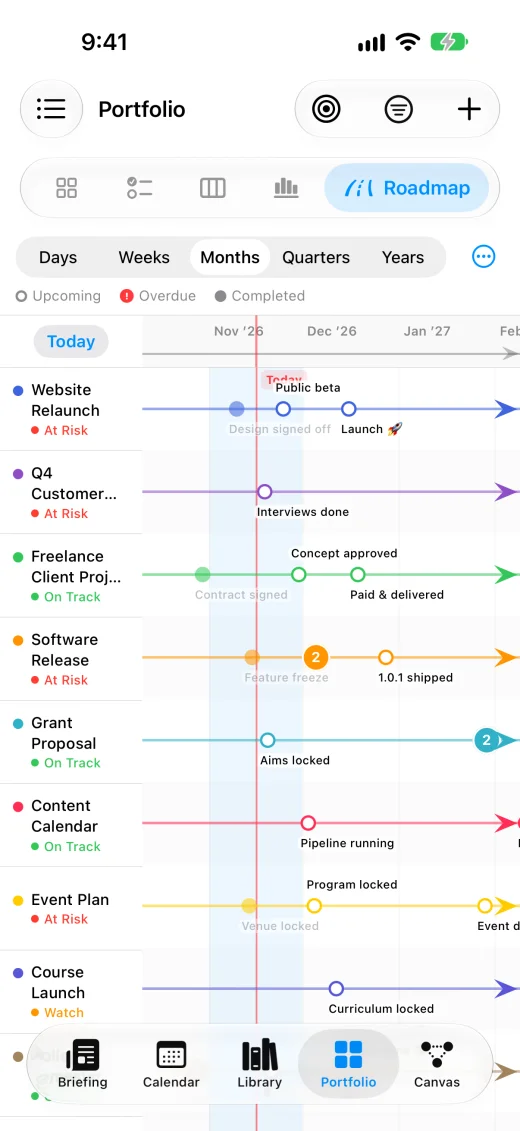
The roadmap in your pocket.

Roadmap on iPhone
Canvas (whiteboard)

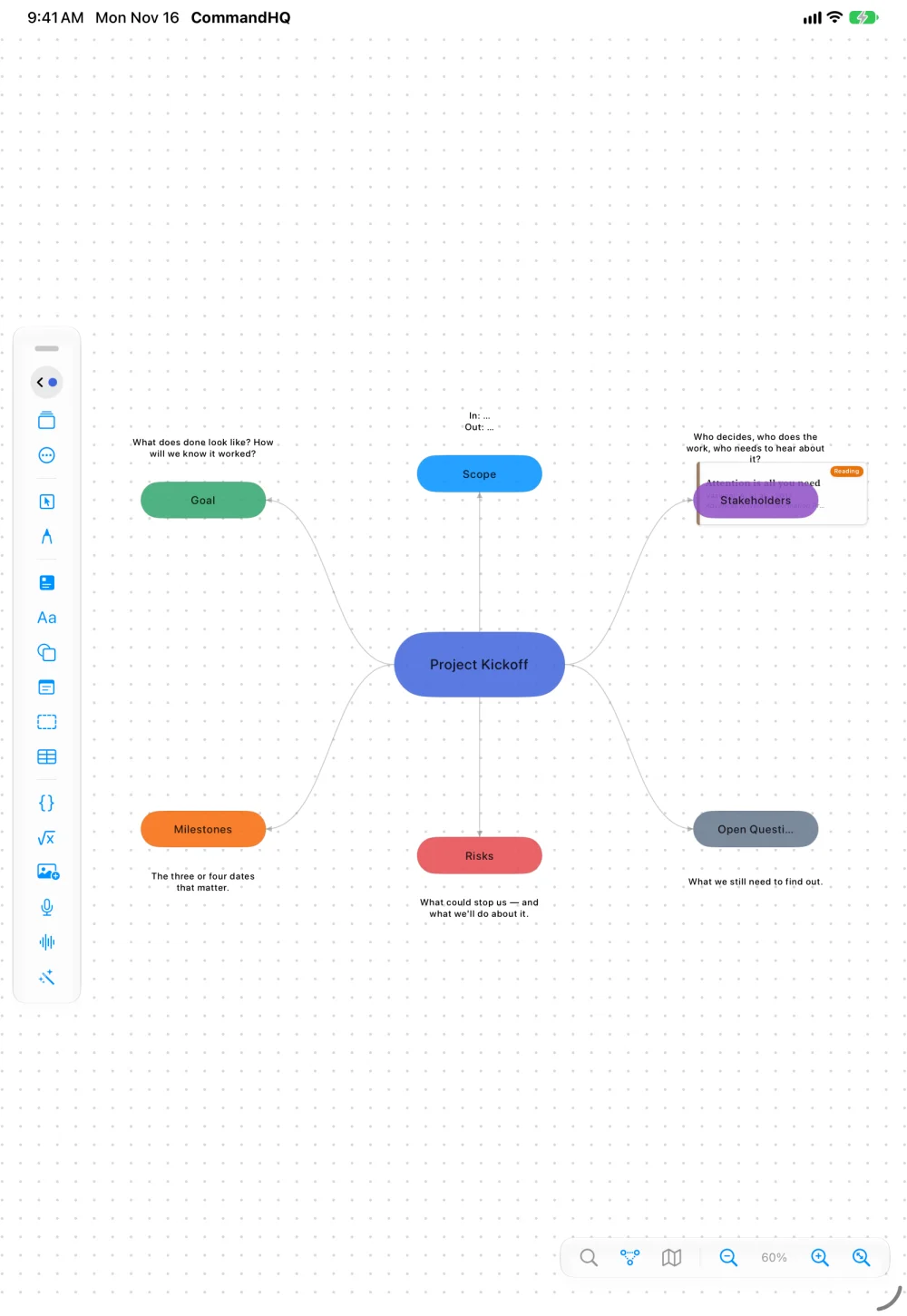
Think it through.

Mind map on an iPad canvas
0

data collected by the app.

No account, no in-app analytics, no server that receives your data.

And the rest

Everything else, at a glance.

Plan

  • Timeline (Gantt), board (Kanban), list, calendar
  • Milestones and dependencies
  • Recurring tasks and subtasks
  • Templates and playbooks
  • Goals above projects
  • Plan My Day, Plan My Week

Track

  • Timers on tasks and blocks
  • Menu-bar timer, Live Activity
  • Timesheets (CSV), billable rates
  • Focus Mode
  • Autolog on the Mac
  • Weekly Digest: plan vs results

Think

  • Infinite canvases (whiteboards)
  • Mind map from text
  • Apple Pencil, ink to text
  • Equations, tables, media
  • Present mode, PDF decks
  • Live Notes with transcripts

Capture

  • ⌃⌥⌘Space Quick Entry
  • Share sheet from any app
  • Siri and Shortcuts
  • Spotlight and ⌘K
  • Widgets and Control Center
  • Calendar and Reminders

Keep

  • A Library for files and papers
  • Zotero, EndNote, BibTeX, RIS
  • Status reports, PDF and HTML
  • iCloud sync, no account
  • Snapshots and restore preview
  • 12 languages
Who it's for

Built for one person running many projects.

If your week is several projects with real deadlines and nobody else keeping track, this is for you.

Freelancers and consultants

  • Timers, billable rates and timesheets (CSV)
  • Timesheets export to your invoicing tool; CommandHQ doesn’t send invoices itself
  • Client-ready status reports as PDF or HTML
  • Planned vs actual hours, per project

Founders and indie makers

  • Every product on one roadmap and portfolio
  • Milestone forecasts before a launch slips
  • Quick capture from any app, and one search box for everything

Researchers and students

  • A Library for papers, with Zotero, EndNote, BibTeX and RIS import
  • Live Notes: record a lecture, get an on-device transcript
  • Thesis, grant and course milestones on a timeline (Gantt)

Anyone juggling several projects

  • A home renovation, a side project and a job, side by side
  • A Daily Briefing of what's overdue and at risk
  • Works on just an iPhone or iPad

Built for one person today: no shared workspaces, comments or assignees. A team version may come later as a separate product; it wouldn’t be part of Lifetime or current Pro plans. More about teams →

Why switch

Between a to-do list and a team tool.

To-do apps track what's due. Team tools are built for many people and the cloud. CommandHQ is the project manager for one, on your own devices.

CommandHQTo-do appsTeam project toolsAuto-schedulers
Milestone forecasts from your real pace✓–Rarely–
Timeline (Gantt), board (Kanban), roadmap and calendar on the same plan✓Lists, some boards✓Calendar
Planned vs actual time, timesheets✓–Add-onsPartly
You approve every schedule change✓✓✓Moves things for you
Canvases (whiteboards), mind maps and a reference Library✓–Some–
No account; your plans never touch the developer’s servers✓Varies––
App Store privacy label: “Data Not Collected”✓Rarely––
Native on iPhone, iPad, Mac and Watch✓VariesMostly webMostly web
Pay once option✓ LifetimeVariesPer-seat subscriptionSubscription

General categories, not specific products; individual apps differ. Privacy labels as shown on App Store product pages, November 2026.

Switching takes minutes

Bring your tasks with you.

Import a Todoist project export, Apple Reminders, any CSV or TaskPaper file, and references from Zotero, EndNote, BibTeX or RIS. Leaving is just as easy: your projects are plain files, with CSV, PDF and HTML export.
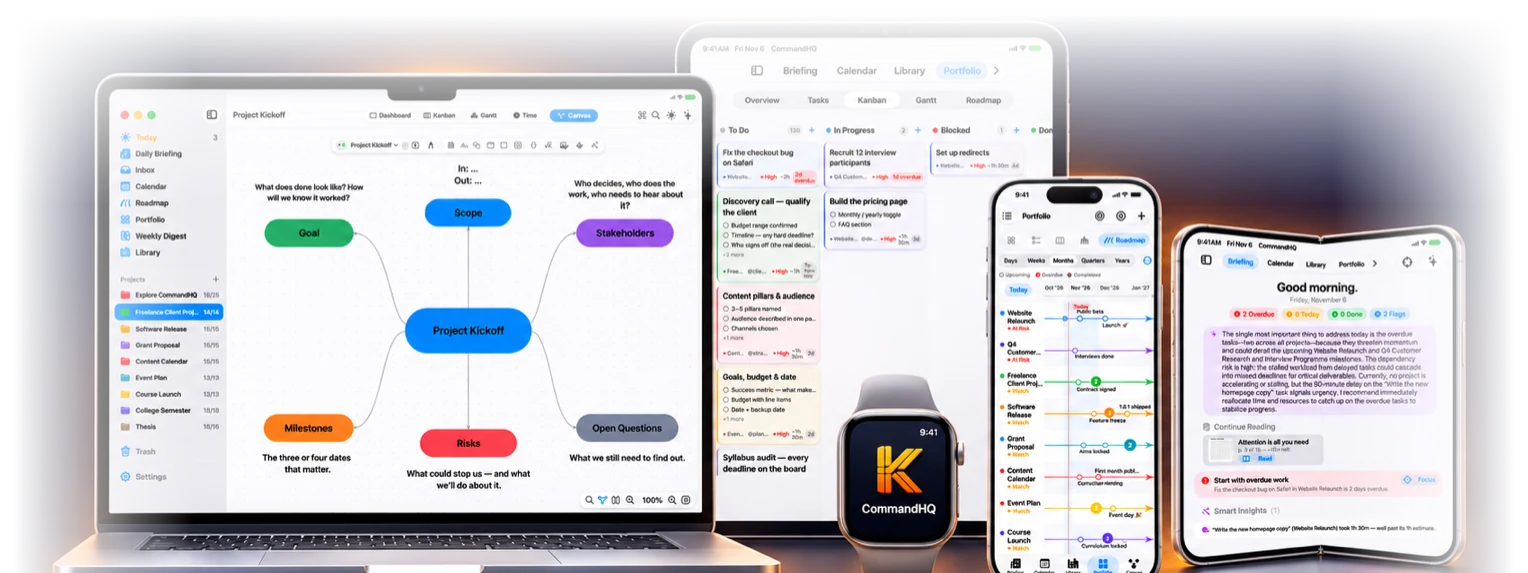
CommandHQ on MacBook, iPad, iPhone, Apple Watch and iPhone Duo
Not a companion app

The whole app, on whatever you have.

CommandHQ isn't a Mac app with a phone add-on. An iPhone or an iPad on its own runs the full app: timelines (Gantt), forecasts, canvases (whiteboards), Live Notes, timers, the Library and AI. CommandHQ is for Apple devices only: there’s no Windows, Android or web version. Add more devices whenever you like, and they stay in step through your own iCloud.

  • Every view on iPhone and iPad; a few extras, such as Autolog, are Mac-only
  • iPhone Duo: the layout opens up to the big inner screen, with every view at full size
  • Apple Pencil on iPad: handwriting, ink to text, sketches
  • Live Activity and Dynamic Island for the running timer
  • Apple Watch: today's tasks, timers, complications, and a warning when a milestone this week is likely to be late
  • Home Screen, Lock Screen and desktop widgets
Accessibility

Usable by everyone, tested on real devices.

Screens were audited on Mac, iPad and iPhone in several languages, not just in theory.

The whole app, on any one device.

iPhone, iPhone Duo, iPad or Mac on its own. A few extras are Mac-only, such as Autolog and the menu-bar timer. Free with one project.